
Augmented reality porn is quickly becoming one of the most interesting technical shifts in immersive adult content. Instead of watching a scene inside a fully virtual environment, passthrough headsets allow performers to appear directly inside your physical space.
The experience you see inside a headset depends heavily on how the content was produced. There isn’t just one workflow for AR video. In practice, there are four main production approaches, each with different tradeoffs in realism, cost, flexibility, and visual quality.
Understanding how these methods work makes it easier to recognize why some scenes look cleaner or more immersive than others.
Green Screen
Green screen is currently the most common entry point for AR video production. The technique has existed for decades in film and broadcast, and it adapts naturally to passthrough video workflows.
In this method, performers are filmed in front of a bright green background that is later removed during editing. Sometimes other colors such as purple or back are used instead. Once the background is keyed out, the performer can be composited into a transparent environment that works inside AR players.
Some studios also create AI green screen versions from existing VR content. In these workflows, the original background from a standard VR scene is removed in post-production and replaced with a keyed or transparent background. This allows the same scene to be distributed in both traditional VR and passthrough AR formats, although results can vary depending on how the original footage was lit and framed.
How It’s Filmed
A typical green screen shoot does not require specialized volumetric equipment. Most productions use a standard 180° or stereoscopic camera setup along with evenly lit green fabric or painted walls.

Lighting consistency is the most important factor. Shadows or uneven color across the backdrop make background removal harder and can introduce artifacts. Performers are also positioned several feet away from the background to reduce green color reflection, commonly called green spill.
How It’s Edited
During post-production, chroma key software removes the green background by isolating that color range. Editors then refine edges around hair, skin, and clothing to reduce halo artifacts.
The result is exported either as transparency-enabled video or as footage designed to be processed in real time by an AR player.
Pros and Cons
Pros:
- Uses real performers and real camera footage
- Relatively low production cost
- Accessible workflow for independent studios
- Fast turnaround from filming to release
Cons:
- Green can appear around fine edges like hair
- Lighting mistakes are very noticeable in AR
- No positional movement around the performer
- AI processing can sometimes accidently leave parts of the background
Green screen remains popular because it balances cost and realism, even though it does not provide full spatial depth.
Example studios using chroma key workflows: CzechAR, Tonight’s Girlfriend, VR Pornnow, SwallowBay
Alpha Channel
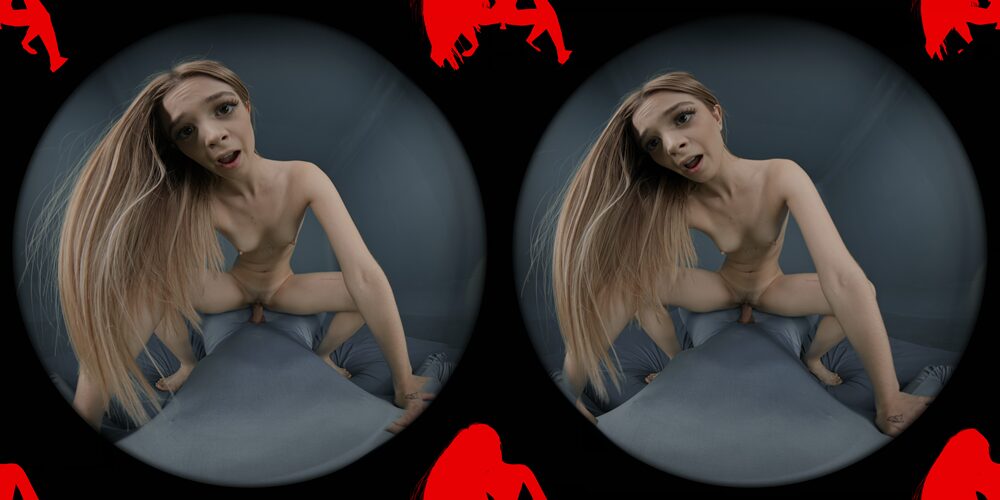
Alpha channel passthrough is a more advanced evolution of green screen workflows and is commonly used in players like HereSphere, DeoVR, PLAY’A and our WebXR Player. Instead of removing the background in real time inside the headset, the transparency information is embedded directly into the video during post-production.
This approach produces cleaner edges and more stable blending because the heavy compositing work is done before playback rather than relying on chroma key processing inside the player.
How It’s Filmed
Most alpha passthrough content still starts with a traditional green screen shoot. Clean lighting and strong separation between the performer and the background are critical, since the final transparency quality depends on how accurately the subject can be isolated.
Some studios also shoot specifically for passthrough framing, keeping the performer centered and avoiding complex backgrounds so the AR placement feels more natural.
How It’s Edited
During editing, creators generate a clean alpha matte that defines which parts of the image remain visible. In the layout used by DeoVR, the transparency data is packed directly into the video frame, typically alongside fisheye VR footage, allowing the player to read both the image and the alpha information at the same time.
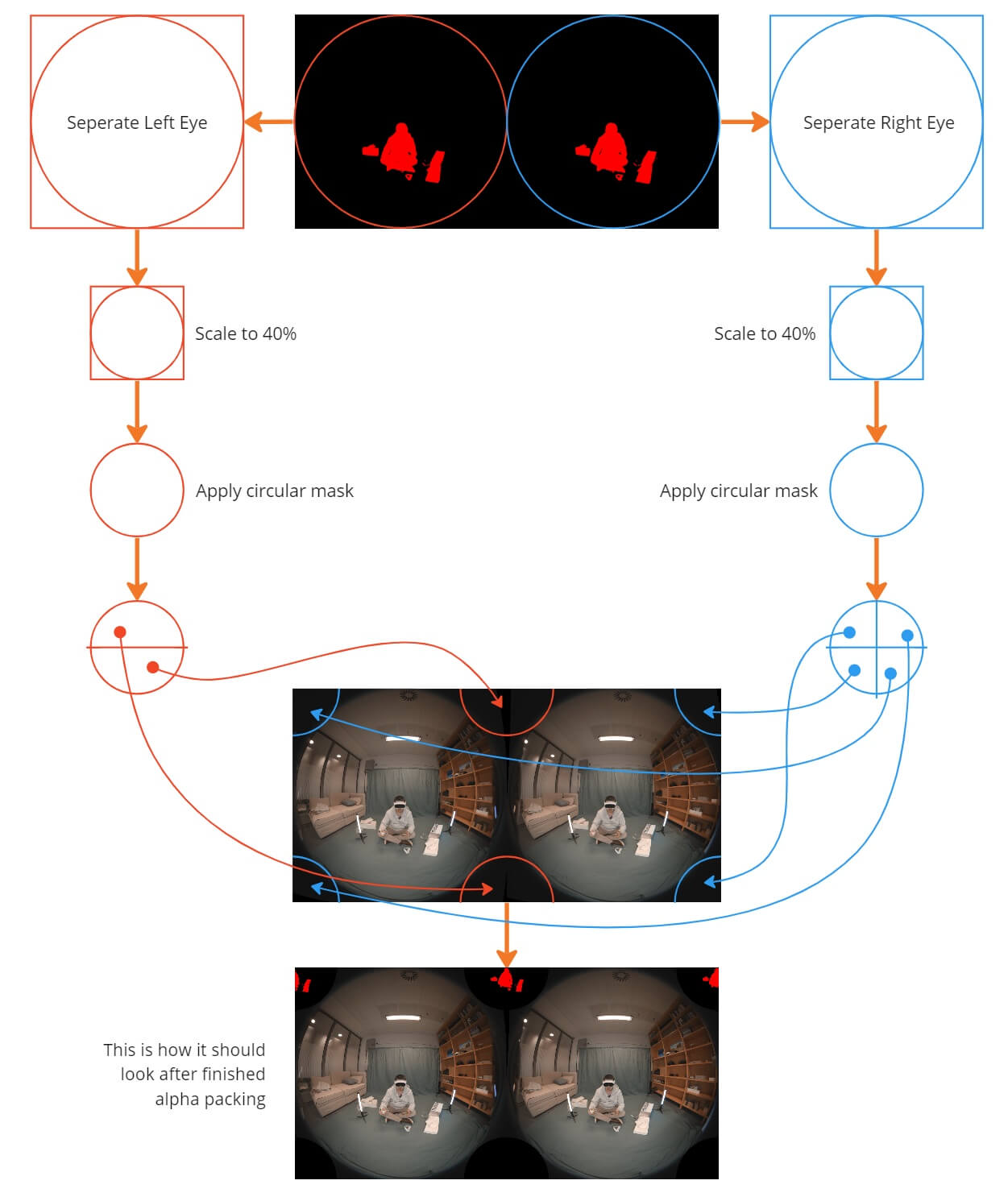
This method offloads background removal to post-production, which helps preserve fine details like hair and creates a cleaner edge.
Pros and Cons
Pros:
- Cleaner edges than traditional chroma key
- More stable passthrough blending
- Works well for WebXR playback
- Best visual quality for 180° SBS AR video
Cons:
- Still limited to fixed camera perspective
- Larger file sizes
- Requires more advanced editing workflows
- Player compatibility varies
When shot correctly, alpha passthrough currently delivers the most polished results for live-action AR video.
Example studios producing alpha passthrough content: SexLikeReal, ARPorn.com, RealVR, VRSpy
Volumetric Capture
Volumetric capture represents a different category entirely. Instead of filming a flat video frame, volumetric systems capture full spatial data so the performer exists as a true 3D object.
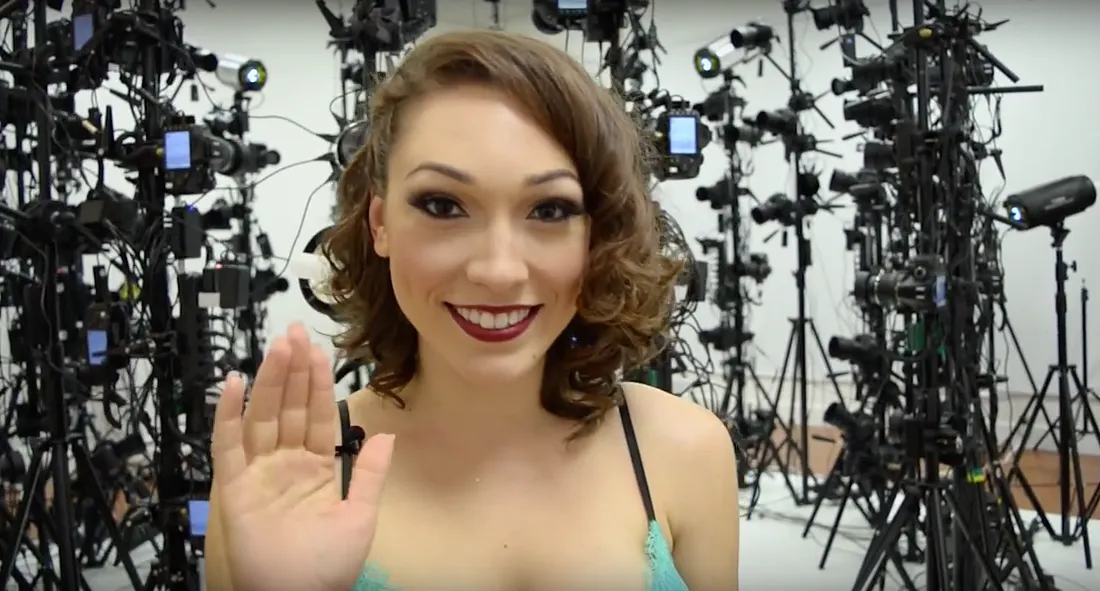
This allows viewers to move around the subject naturally inside their room.
How It’s Filmed
Volumetric studios use large multi-camera arrays arranged around a capture volume. These systems record both color and depth information simultaneously. Because every angle must be captured at once, the setup requires precise calibration and controlled lighting conditions.
How It’s Edited
The captured footage is processed into mesh sequences, point clouds, or voxel data. This process reconstructs a time-based 3D model of the performer.

The final output is optimized for real-time rendering inside AR or VR engines.
Pros and Cons
Pros:
- True 3D spatial presence
- Full 6DOF viewing
- Most immersive format currently available
- Real performer capture
Cons:
- Extremely expensive production
- Heavy processing requirements
- Lower visual resolution compared to 2D video
- Limited content availability
Volumetric capture is still early for consumer adult content, but it represents the long-term direction of spatial video.
Example studios experimenting with volumetric capture: BraindanceVR, Holodexxx
CGI (Computer-Generated Imagery)
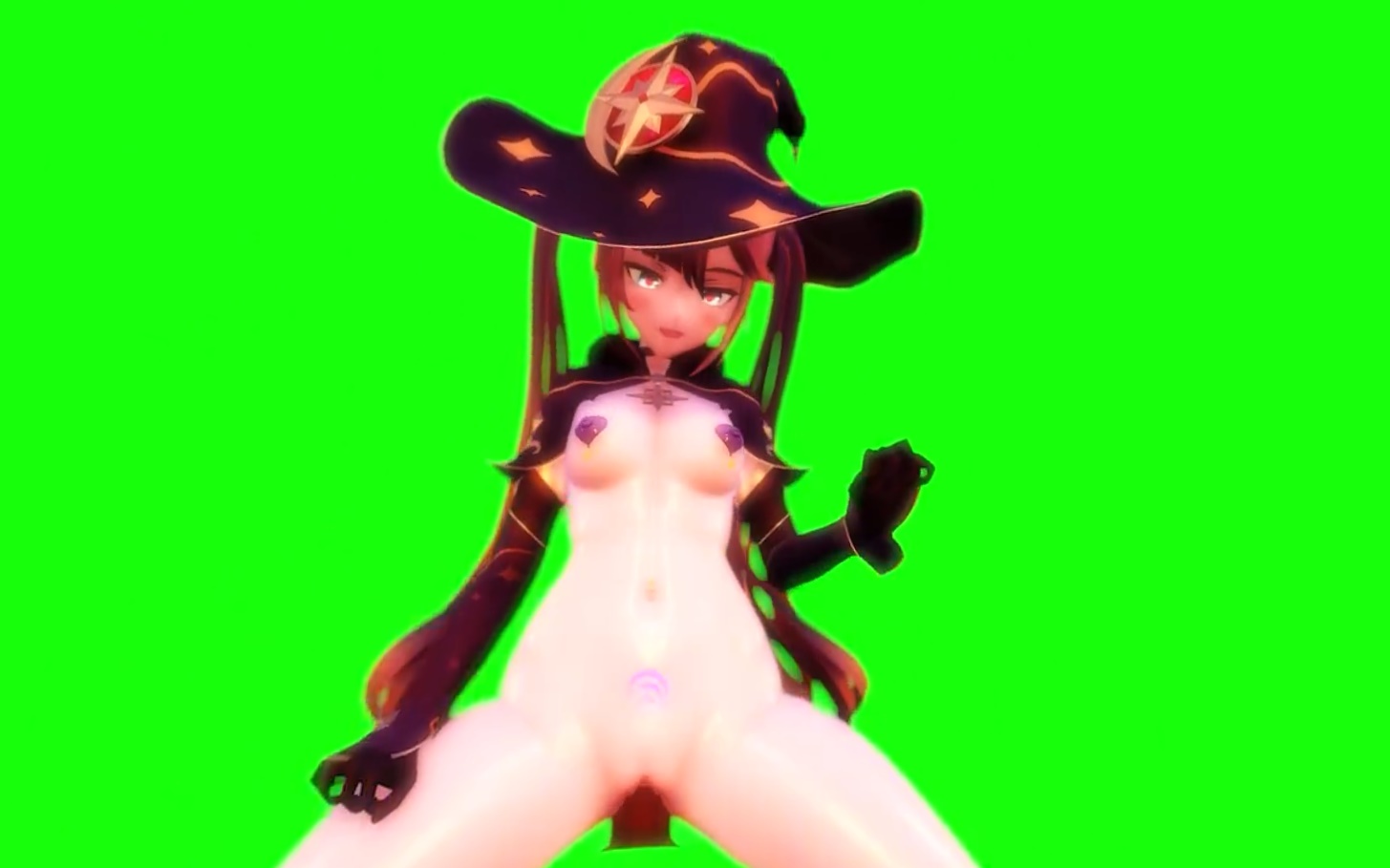
Unlike the previous methods, CGI does not rely on real camera footage at all. Everything is created digitally using 3D modeling and animation tools.This approach is widely used for stylized, fantasy, and interactive experiences.
How It’s Created
Artists build characters, environments, and animations using 3D software and game engines. Motion capture can be used to add realistic movement, or scenes can be fully animated by hand. Because everything is digital, there are no physical production limitations.
How It’s Rendered
For passthrough video workflows, CGI content is typically rendered into traditional video files rather than real-time interactive assets. The 3D scenes are pre-rendered with fixed camera angles, and backgrounds are removed or composited for AR playback, often using green screen chroma key techniques.
This approach ensures consistent visual quality and compatibility with WebXR video players, but it does not include dynamic rendering based on viewer position or real-world lighting.
Pros and Cons
Pros:
- Unlimited creative flexibility
- More editing control than film
- Ideal for interactive AR experiences
- No physical filming constraints
Cons:
- Lacks real-world realism
- Quality depends heavily on artist skill
- Can fall into uncanny valley issues
- Less appeal for viewers who prefer live-action
CGI continues to improve rapidly as real-time rendering technology advances.
Example CGI-focused studios: Desire Room, Spline VR, Lewd Fraggy
Which Method Is Best?
Each production method solves a different technical problem, so there isn’t a single best approach.
Alpha channel workflows currently provide the cleanest passthrough visuals for live-action content. Green screen offers the most content variety due to lower production costs. Volumetric capture delivers true spatial realism but remains expensive. CGI enables complete creative freedom.
Most modern AR platforms use a mix of these approaches depending on the scene and production budget.
Why Most Passthrough Videos Still Look Imperfect
Even with modern passthrough headsets, AR video is still an evolving format. Several technical factors affect how natural a scene looks once it’s placed into your real-world environment.
Lighting is one of the biggest variables. Passthrough cameras behave differently depending on room brightness and color temperature, which can affect edge blending and overall image clarity.
Filming technique also plays a major role. Many scenes are originally shot for standard VR and later adapted for passthrough, which can lead to less accurate subject separation or depth perception.
Perspective alignment is another common limitation. Because most passthrough scenes are still based on fixed camera positions, the scale or placement of the performer may look slightly too large or too small depending on your viewing distance and headset position.
Interactive alignment can also vary between scenes. Since camera height and angle differ across productions, positioning your body to match the intended viewpoint may take some adjustment for the most natural experience.
Background removal quality varies between studios. Chroma key artifacts, compression, and transparency encoding all influence how clean the final passthrough effect appears.
As more studios begin filming specifically for AR instead of adapting traditional VR footage, these issues are improving quickly.
The Future of AR Content
Passthrough hardware is improving quickly, and production workflows are evolving alongside it. Cameras are getting sharper, depth capture is becoming more accessible, and real-time rendering performance continues to increase.
We are also seeing more studios shoot specifically for AR rather than adapting traditional VR footage. This shift alone is improving visual blending quality across the industry.
As WebXR players, headset and AR glasses capabilities mature, the line between filmed video and spatial content will continue to blur.
For viewers, understanding how AR content is produced helps explain why some scenes look dramatically better than others and why newer formats are improving so quickly.
About the Author: Scott Camball is a Toronto-based AR/WebXR developer with 10+ years of experience in immersive adult video delivery.